

Choosing accounting software is one of the most important decisions a business owner can make. The right platform saves time, reduces costly errors, improves financial clarity, and supports long-term growth. Among the most popular cloud accounting platforms today are Xero and FreshBooks. Both are trusted by small businesses worldwide, but they serve slightly different audiences and offer different strengths.
This detailed comparison explores features, pricing, usability, reporting, integrations, scalability, and overall value so you can determine which solution fits your business best.
Company Background
Xero
Xero was founded in 2006 in New Zealand and has grown into one of the world’s leading cloud-based accounting platforms. It is especially popular with accountants and bookkeepers due to its strong reporting capabilities and collaborative tools. Xero focuses on full-service accounting for small to medium-sized businesses and offers robust financial management features.
FreshBooks
FreshBooks was launched in 2003 in Canada and originally started as an invoicing tool. Over time, it evolved into a complete accounting solution tailored primarily for freelancers, consultants, and service-based businesses. FreshBooks emphasizes simplicity and ease of use.
Ease of Use
Xero: Powerful but Requires Familiarity
Xero offers a clean dashboard with an overview of bank balances, invoices, bills, and cash flow. However, it provides deeper accounting tools that may feel overwhelming for beginners. Users with some accounting knowledge will appreciate its structure, but complete newcomers may need time to adapt.
Navigation is logical, though certain advanced functions require extra clicks. For businesses that need full accounting control, Xero’s layout supports professional-level bookkeeping.
FreshBooks: Built for Simplicity
FreshBooks stands out for its intuitive interface. It is designed for business owners who may not have accounting experience. Creating invoices, tracking expenses, and logging time takes only a few steps.
The layout feels straightforward, and most users can begin working without formal training. For freelancers and consultants, FreshBooks often feels more approachable than traditional accounting systems.
Verdict:
If simplicity is your top priority, FreshBooks wins. If you need comprehensive accounting tools and don’t mind a slight learning curve, Xero is stronger.
Core Accounting Features
Invoicing
Xero
- Customizable invoices
- Recurring billing
- Automatic payment reminders
- Multi-currency invoicing (on higher plans)
FreshBooks
- Highly customizable invoices
- Recurring invoices
- Late payment reminders
- Built-in time tracking linked directly to invoices
FreshBooks excels in invoicing for service professionals. Time entries can be converted into invoices instantly, making it ideal for consultants and agencies.
Xero also handles invoicing well but is more accounting-focused than service-focused.
Expense Tracking
Xero
- Automatic bank feeds
- Receipt capture via mobile app
- Bank reconciliation tools
- Bill management system
FreshBooks
- Expense categorization
- Receipt scanning
- Billable expense tracking
- Simple expense reports
Xero’s reconciliation system is more advanced and better suited for businesses with higher transaction volumes. FreshBooks offers easier expense tracking for small service-based operations.
Bank Reconciliation
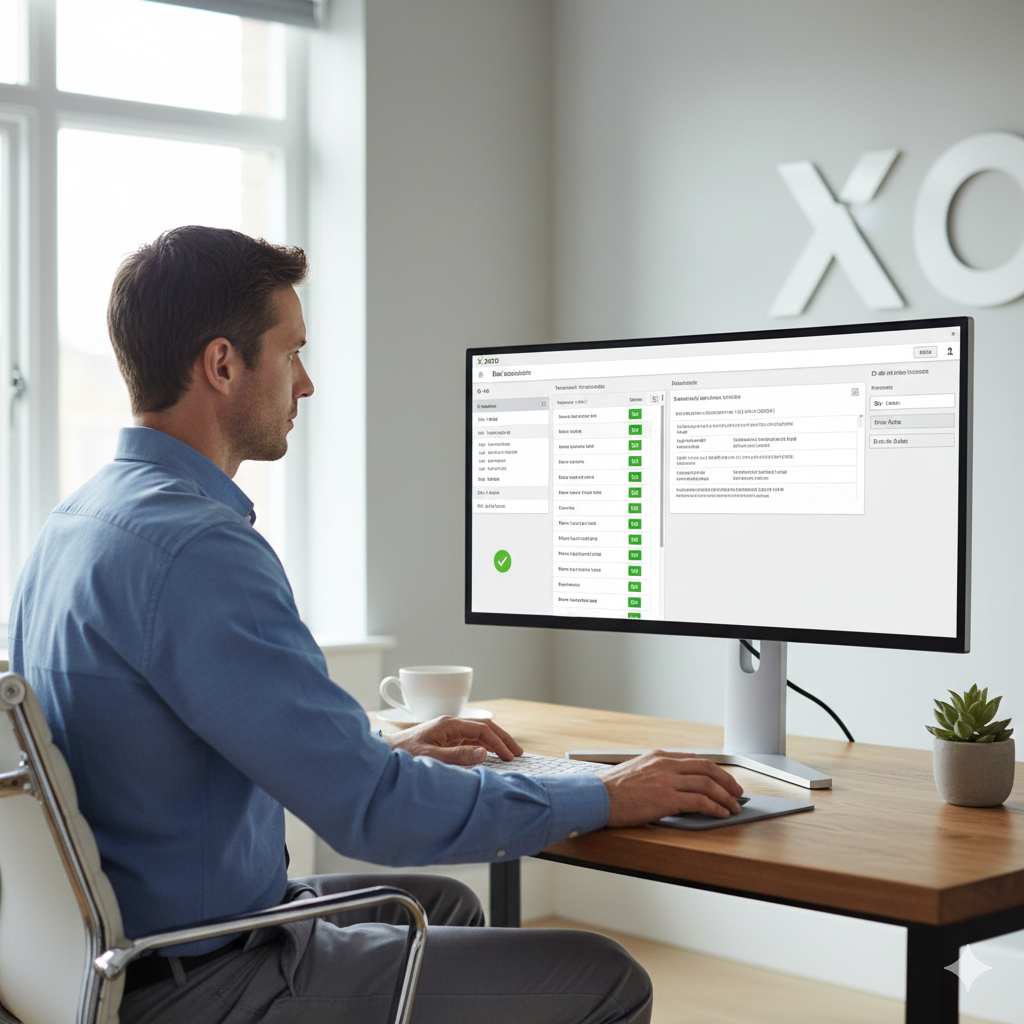
Xero is widely praised for its bank reconciliation tools. It automatically imports transactions and suggests matches, reducing manual entry significantly.
FreshBooks also connects to bank accounts but does not offer the same level of reconciliation depth as Xero.
Verdict:
For serious bookkeeping and accounting accuracy, Xero leads.
Reporting Capabilities
Reporting is where these two platforms show a clear difference.
Xero Reporting
Xero provides:
- Profit and Loss statements
- Balance sheets
- Cash flow reports
- Accounts receivable and payable aging
- Custom financial reports
- Budget tracking
- Detailed general ledger reports
Accountants prefer Xero because of its structured and customizable financial reports.
FreshBooks Reporting
FreshBooks includes:
- Profit and Loss
- Expense reports
- Tax summary
- Accounts aging
- Time entry reports
While useful, FreshBooks reports are less customizable and not as detailed as Xero’s.
Verdict:
Xero is significantly stronger in financial reporting.
Pricing Comparison
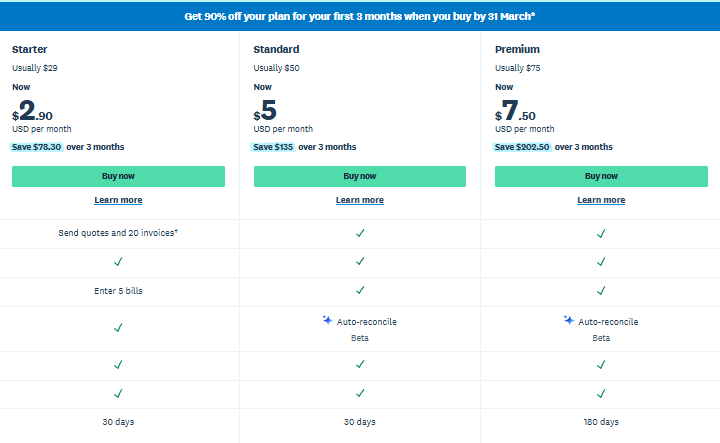
Pricing structures vary depending on region, but generally:
Xero Pricing
- Entry-level plan (limited invoices and bills)
- Standard plan
- Premium plan (includes multi-currency)
Xero typically allows unlimited users on all plans, which adds tremendous value for growing teams.
FreshBooks Pricing
- Lite (limited billable clients)
- Plus
- Premium
- Select (custom pricing)
FreshBooks limits the number of billable clients depending on the plan, which can increase costs as your client list grows.
Verdict:
Xero often offers better long-term value for teams, while FreshBooks may be affordable for solo freelancers.
Multi-User Access
Xero allows unlimited users, which is ideal for businesses that collaborate with accountants, bookkeepers, and team members.
FreshBooks includes limited users per plan and charges extra for additional team members.
If collaboration is important, Xero offers more flexibility.
Payroll
Xero offers payroll functionality in certain countries or integrates with payroll providers depending on region.
FreshBooks does not offer built-in payroll but integrates with third-party services.
Businesses requiring in-depth payroll management may find Xero more suitable.
Time Tracking
FreshBooks shines in time tracking. It was built for service professionals who bill by the hour. Time entries can be easily assigned to projects and converted into invoices.
Xero includes time tracking through projects add-ons but is not as seamless as FreshBooks.
Verdict:
For freelancers and agencies, FreshBooks is superior in time tracking.
Inventory Management
Xero includes basic inventory tracking with real-time quantity updates and cost tracking.
FreshBooks offers limited inventory functionality and is more service-oriented.
Product-based businesses will benefit more from Xero’s inventory features.
Integrations
Xero Integrations
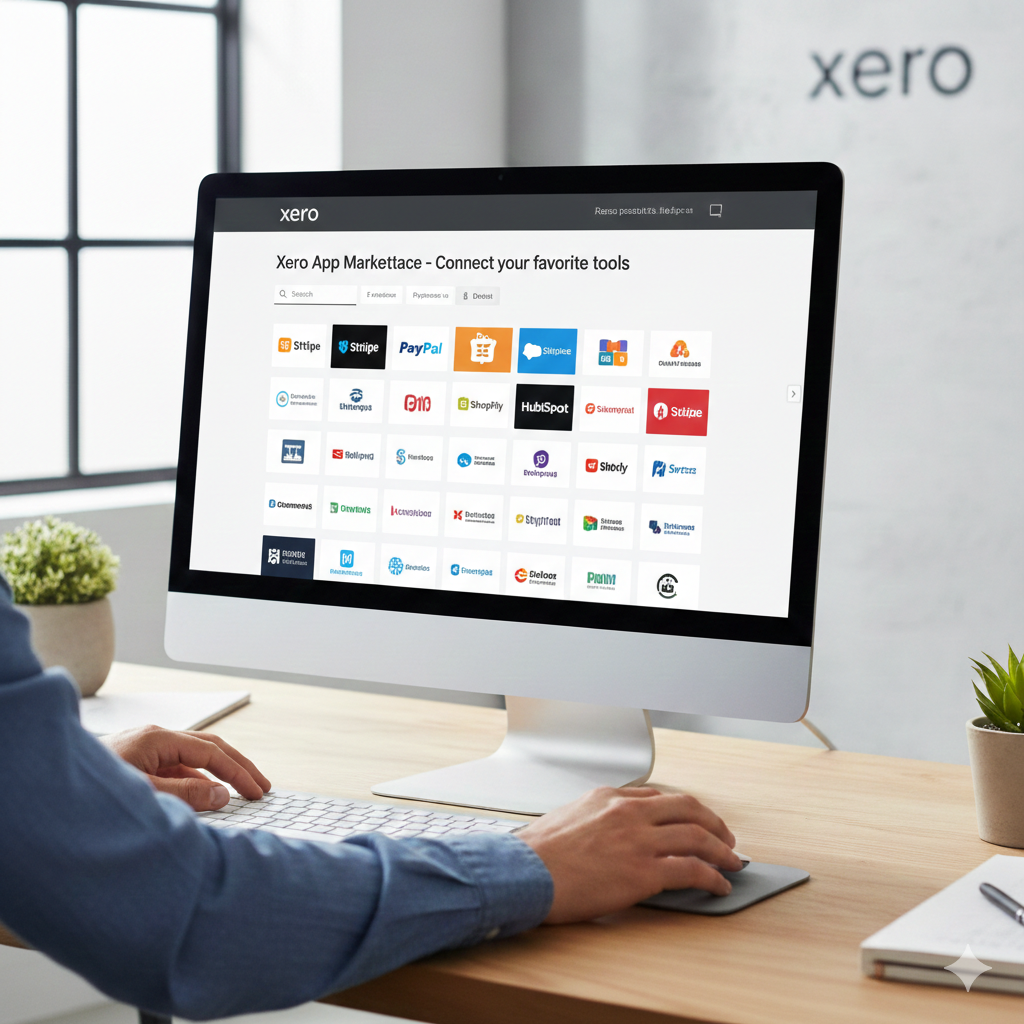
Xero integrates with hundreds of third-party applications including payment gateways, CRM systems, inventory tools, and e-commerce platforms.
Popular integrations include:
- Stripe
- PayPal
- Shopify
Xero’s app marketplace is extensive and widely used.
FreshBooks Integrations
FreshBooks also integrates with major tools but has fewer options compared to Xero.
It supports:
- Stripe
- PayPal
- Gusto
While sufficient for many small businesses, FreshBooks does not match Xero’s ecosystem depth.
Verdict:
Xero offers broader integration capabilities.
Mobile Experience
Both platforms offer mobile apps.
Xero’s mobile app allows:
- Invoice creation
- Receipt capture
- Bank reconciliation
FreshBooks mobile app focuses heavily on:
- Time tracking
- Invoice management
- Expense tracking
Freelancers may prefer FreshBooks mobile design, while accounting teams may lean toward Xero.
Security
Both platforms use bank-level encryption, two-factor authentication, and secure cloud infrastructure.
Neither platform has a significant security disadvantage. Data protection is strong in both systems.
Scalability
Xero for Growing Businesses
Xero is built for scalability. It handles:
- Larger transaction volumes
- Multi-currency transactions
- Multiple users
- Complex reporting needs
Businesses that expect to grow beyond a small team will likely find Xero more sustainable long term.
FreshBooks for Small Service Businesses
FreshBooks is excellent for:
- Freelancers
- Consultants
- Creative agencies
- Contractors
However, businesses that become more complex may eventually outgrow its reporting and accounting depth.
Customer Support
FreshBooks is known for responsive customer service via chat and email. Many users appreciate its helpful onboarding support.
Xero primarily offers online support and knowledge base resources. Direct phone support is limited in many regions.
If direct support is critical, FreshBooks may feel more accessible.

Pros and Cons Summary
Xero Pros
- Unlimited users
- Strong reporting
- Excellent bank reconciliation
- Multi-currency support
- Extensive integrations
- Scalable for growth
Xero Cons
- Slight learning curve
- More complex interface for beginners
FreshBooks Pros
- Very user-friendly
- Excellent invoicing and time tracking
- Ideal for freelancers
- Strong customer support
FreshBooks Cons
- Limited reporting depth
- User restrictions on lower plans
- Less suitable for product-based businesses
Ideal User Scenarios
Choose Xero if:
- You need detailed financial reporting
- You work closely with an accountant
- You manage inventory
- You require multi-currency accounting
- You have multiple team members
Choose FreshBooks if:
- You are a freelancer or consultant
- You bill clients hourly
- You prioritize simplicity
- You want easy invoice management
- You prefer hands-on customer support
Final Verdict
Xero and FreshBooks are both excellent accounting platforms, but they serve slightly different needs.
Xero is a powerful, full-scale accounting solution designed for growing businesses that require deep financial insights and collaboration. It is particularly attractive to companies working closely with professional accountants.
FreshBooks, on the other hand, is designed for simplicity. It works beautifully for freelancers and service-based entrepreneurs who want easy invoicing, time tracking, and expense management without dealing with complex accounting features.
The best choice ultimately depends on your business structure, growth plans, and accounting complexity. If you anticipate rapid growth and require advanced reporting, Xero is likely the stronger investment. If you run a service-based business and value simplicity above all, FreshBooks will serve you well.
Both platforms represent modern cloud accounting done right. The decision comes down to whether you want streamlined simplicity or comprehensive financial control.